Nightmare Freddy AI Voice Generator
Patient bedroom-door menace played for spooky laughs. Write a short line, try the Nightmare Freddy-style voice, and download the spoken preview.
- Generate a short public preview without signing in
- Download the MP3 or continue in the video editor
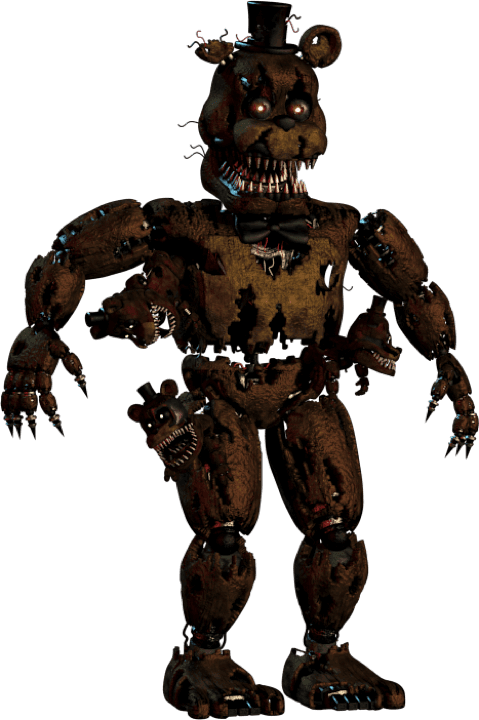
Try the Nightmare Freddy voice
Public previews are short, fast, and downloadable. Continue in the editor when you are ready to build a full video.
Preview status
Ready to generate
Nightmare Freddy works best when the threat stays slow and almost polite. Name one small thing the listener did wrong, such as a door left open or a light switched off, and let him take his time about it. Keep the scene suggestive rather than graphic, because the humor comes from how calmly he waits. Ghostface is a useful partner voice when you want a second speaker asking the questions.
What makes this voice work
Why Nightmare Freddy hits different
Patient bedroom-door menace played for spooky laughs
Name one small mistake the listener made, then let him linger on it.
Hear the delivery before building a scene
Try the original night walk and bedtime warning examples. Edit the wording and compare the generated read with the catalog sample.
Build a conversation
Combine Nightmare Freddy with Ghostface or Phone Guy in the editor, with a separate voice and timing for each line.
Three steps
How it works
- 1
Choose a line
Start with a Nightmare Freddy script idea below or enter your own text, up to 220 characters for the public preview.
- 2
Generate and listen
Generate the spoken clip on this page, listen to the full line, and download the MP3. Public previews are rate-limited.
- 3
Create the complete video
Sign in to bring this character into the editor with captions, scene timing, backgrounds, and other voices. Voice access depends on your account.
Writing guide
How to write for Nightmare Freddy
Do this
- Name one small mistake the listener made, then let him linger on it.
- Use short sentences and full stops so the slow delivery has room to land.
- Keep the threat implied; a hint about a door or a shadow does more than a description.
Avoid this
- Graphic or violent detail breaks the spooky-comic tone this page is built for.
- Constant shouting removes the patience that makes the menace work.
Creator use cases
What to make with Nightmare Freddy
Bedtime scare openings
Open a short horror clip with one calm observation about the room.
Fictional security cold opens
Set up an unsettling night scene before the first cut to footage.
Related resources
Keep going
Ghostface
Conversational suspense for fictional horror scenes.
Try Ghostface →Phone Guy
Calm recorded-message delivery for night-shift briefings and things-are-fine horror.
Try Phone Guy →Explore the voice library
Listen to other character voices and find the right partner for your scene.
Browse all voices →FAQ
Nightmare Freddy voice — common questions
Yes. The public preview accepts a short line of up to 220 characters and lets you generate, play, and download the audio without signing in. Requests are rate-limited; longer editor projects require an account and an eligible plan.
This page targets the Nightmare Freddy character rather than the standard Freddy Fazbear animatronic. Listen to the sample before writing a scene, because one model does not cover every Freddy variant in the series.
Yes. Once your preview finishes, use the download control to save the generated MP3. You can revise the text and try another reading within the preview limits.
The selected model and all examples on this page are English. Other-language pronunciation can vary, so use a native-language model from the voice library when the accent matters.
Yes. Sign in and select the character in the Brainrot Shorts editor. Voice access depends on your account. Add the script, other character voices, backgrounds, and captions, then export your video.
Disclaimer: Nightmare Freddy is associated with Five Nights at Freddy's. Brainrot Shorts is an independent creator tool and is not affiliated with, endorsed by, or sponsored by the character, franchise, performers, or rights holders. This is synthetic speech; label generated content appropriately and use it responsibly.