Minecraft Villager AI Voice Generator
Flat trading noises turned into stubborn negotiation. Write a short line, try the Minecraft Villager-style voice, and download the spoken preview.
- Generate a short public preview without signing in
- Download the MP3 or continue in the video editor
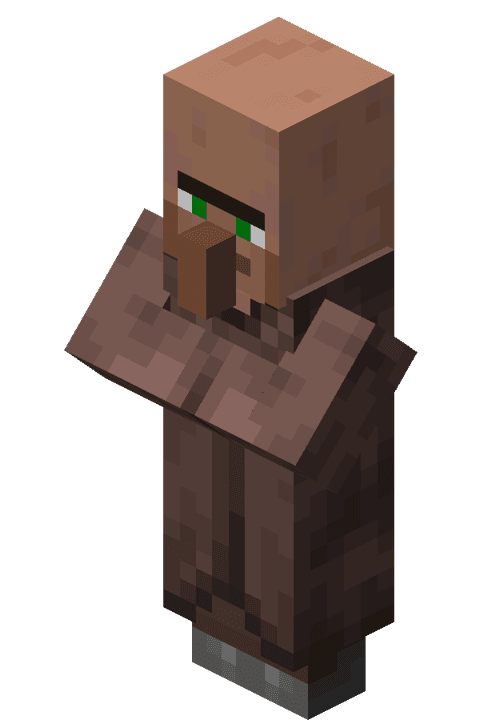
Try the Minecraft Villager voice
Public previews are short, fast, and downloadable. Continue in the editor when you are ready to build a full video.
Preview status
Ready to generate
The villager voice makes a haggle funny because nothing moves it. Write an offer, a pause, and a counter-offer that is plainly worse than the one before. It suits trading bits, shop parodies, and any joke about a price that refuses to budge. Mario is a useful partner when you want a livelier second voice reacting to the deal.
What makes this voice work
Why Minecraft Villager hits different
Flat trading noises turned into stubborn negotiation
Open with a short sound so the flat delivery sets the rhythm before the offer.
Hear the delivery before building a scene
Try the original shop counter and restock notice examples. Edit the wording and compare the generated read with the catalog sample.
Build a conversation
Combine Minecraft Villager with Mario or Luigi in the editor, with a separate voice and timing for each line.
Three steps
How it works
- 1
Choose a line
Start with a Minecraft Villager script idea below or enter your own text, up to 220 characters for the public preview.
- 2
Generate and listen
Generate the spoken clip on this page, listen to the full line, and download the MP3. Public previews are rate-limited.
- 3
Create the complete video
Sign in to bring this character into the editor with captions, scene timing, backgrounds, and other voices. Voice access depends on your account.
Writing guide
How to write for Minecraft Villager
Do this
- Open with a short sound so the flat delivery sets the rhythm before the offer.
- Put the unfair number in the middle and the shrug at the end.
- Keep the sentences blunt; the joke is that nothing gets explained.
Avoid this
- Long emotional speeches do not fit a character whose whole range is indifference.
- A wall of repeated noises still needs one actual offer to be a scene.
Creator use cases
What to make with Minecraft Villager
Trading hall bits
Turn an ordinary trade into a comically bad deal.
Shop parody clips
Play a real-world price increase as another villager restock.
Related resources
Keep going
Mario
Bright, bouncy hero energy for game clips, celebration hooks, quick wins, and playful challenge intros.
Try Mario →Luigi
Nervous-but-brave delivery for haunted reactions, sidekick comedy, hesitant challenges, and surprise wins.
Try Luigi →Explore the voice library
Listen to other character voices and find the right partner for your scene.
Browse all voices →FAQ
Minecraft Villager voice — common questions
Yes. The public preview accepts a short line of up to 220 characters and lets you generate, play, and download the audio without signing in. Requests are rate-limited; longer editor projects require an account and an eligible plan.
It speaks the text you write in a villager-style delivery. You can mix a short sound with ordinary sentences, and the preview lets you hear how the flat read handles your punctuation.
Yes. Once your preview finishes, use the download control to save the generated MP3. You can revise the text and try another reading within the preview limits.
The selected model and all examples on this page are English. Other-language pronunciation can vary, so use a native-language model from the voice library when the accent matters.
Yes. Sign in and select the character in the Brainrot Shorts editor. Voice access depends on your account. Add the script, other character voices, backgrounds, and captions, then export your video.
Disclaimer: Minecraft Villager is associated with Minecraft. Brainrot Shorts is an independent creator tool and is not affiliated with, endorsed by, or sponsored by the character, franchise, performers, or rights holders. This is synthetic speech; label generated content appropriately and use it responsibly.