GLaDOS AI Voice Generator
Clinical instructions that quietly become an insult. Write a short line, try the GLaDOS-style voice, and download the spoken preview.
- Generate a short public preview without signing in
- Download the MP3 or continue in the video editor
Try the GLaDOS voice
Public previews are short, fast, and downloadable. Continue in the editor when you are ready to build a full video.
Preview status
Ready to generate
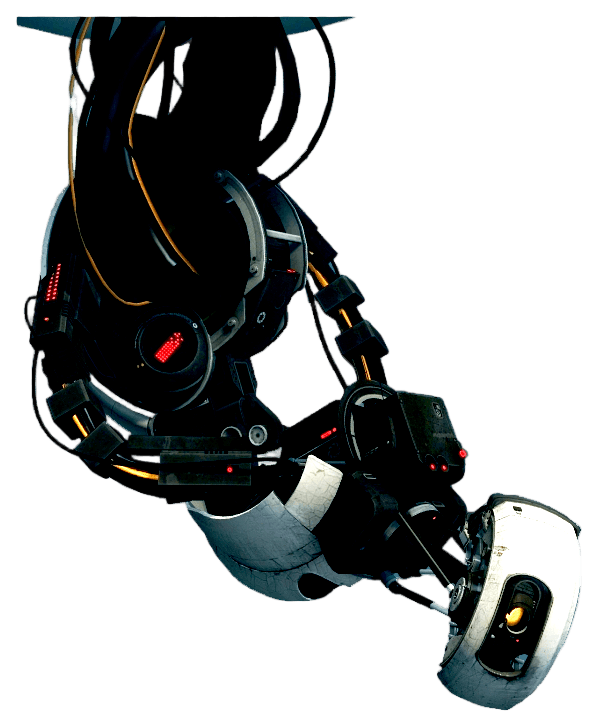
GLaDOS turns the language of helpful systems into passive-aggressive commentary. Begin with a status update, a test instruction, or a congratulation, then let the final clause undermine the listener's achievement. The contrast between calm delivery and unkind content makes this voice useful for puzzle narration and fictional assistant messages.
What makes this voice work
Why GLaDOS hits different
Clinical instructions that quietly become an insult
Use the vocabulary of tests, measurements, and system notices.
Hear the delivery before building a scene
Try the original test result and system notice examples. Edit the wording and compare the generated read with the catalog sample.
Build a conversation
Combine GLaDOS with Heavy or Rick Sanchez in the editor, with a separate voice and timing for each line.
Three steps
How it works
- 1
Choose a line
Start with a GLaDOS script idea below or enter your own text, up to 220 characters for the public preview.
- 2
Generate and listen
Generate the spoken clip on this page, listen to the full line, and download the MP3. Public previews are rate-limited.
- 3
Create the complete video
Sign in to bring this character into the editor with captions, scene timing, backgrounds, and other voices. Voice access depends on your account.
Writing guide
How to write for GLaDOS
Do this
- Use the vocabulary of tests, measurements, and system notices.
- Start neutrally and put the passive-aggressive detail at the end.
- Separate instructions with full stops to preserve the clinical rhythm.
Avoid this
- Heavy distortion on top of the model can make a robotic voice unintelligible.
- Typing sound-effect descriptions will not reliably create game interface sounds.
Creator use cases
What to make with GLaDOS
Puzzle-game narration
Deliver a test instruction followed by an understated evaluation.
Fictional assistant notices
Turn a software status message into a dry joke.
Related resources
Keep going
Heavy
Big declarations for small problems and team victories.
Try Heavy →Rick Sanchez
Burpy genius-chaos cadence for cynical takes, sci-fi jokes, and loud monologues.
Try Rick Sanchez →Explore the voice library
Listen to other character voices and find the right partner for your scene.
Browse all voices →FAQ
GLaDOS voice — common questions
Yes. The public preview accepts a short line of up to 220 characters and lets you generate, play, and download the audio without signing in. Requests are rate-limited; longer editor projects require an account and an eligible plan.
It generates spoken dialogue from text. The preview demonstrates the model's robotic coloration. Interface sounds, music, and game sound effects need to be added separately.
Yes. Once your preview finishes, use the download control to save the generated MP3. You can revise the text and try another reading within the preview limits.
The selected model and all examples on this page are English. Other-language pronunciation can vary, so use a native-language model from the voice library when the accent matters.
Yes. Sign in and select the character in the Brainrot Shorts editor. Voice access depends on your account. Add the script, other character voices, backgrounds, and captions, then export your video.
Disclaimer: GLaDOS is associated with Portal. Brainrot Shorts is an independent creator tool and is not affiliated with, endorsed by, or sponsored by the character, franchise, performers, or rights holders. This is synthetic speech; label generated content appropriately and use it responsibly.